
- Home
- As seen on socials
- Polka dots
- Macbook case
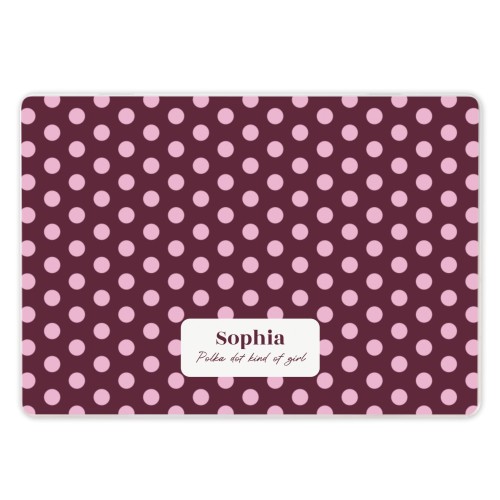



- Personalise your MacBook with custom text or photos – printed in vibrant, high-quality matte that never fades
- Full protection with two durable covers – shielding both sides of your laptop for maximum coverage
- Anti-slip rubber feet and integrated stand for comfortable viewing, typing and stability on any surface
- Available for latest models: check here
Select model(MacBook Air 13″ (2022–2024))
Go to designs
Delivery
- DatePrice
- 07/10/2026
2.99
- 07/10/2026
2.99
Please select a product first
Made a spelling mistake?
Get a free reprint
FAQ
FAQ of Personalised MacBook case
Does my MacBook fit these cases?
This case is designed to fit multiple generations within the same MacBook size category. Due to small differences in casing shape, ventilation openings and port positioning between generations, the fit may vary slightly per model. Each case is tested for secure attachment and functional compatibility. check here the suitable MacBook models.
Where can I find the A-number of my MacBook?
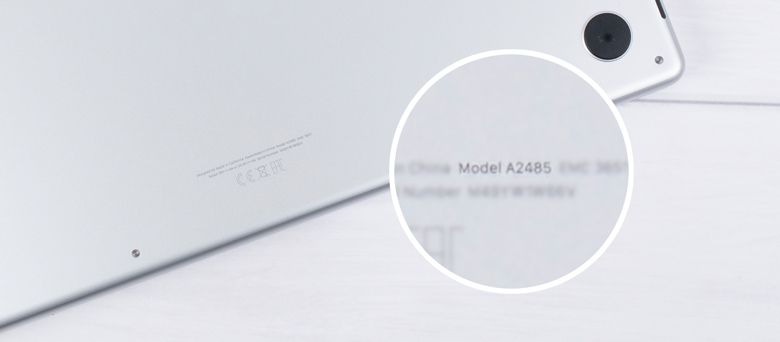
On a MacBook, the A-number (also called the Model Number, formatted as Axxxx) is printed on the device itself and identifies the exact hardware model.
Here's the easiest way to find the A-number of your laptop:
Here's the easiest way to find the A-number of your laptop:
- Turn it over so the bottom case is facing up.
- Look for small text near the hinge or along the edge.
- You will see “Model Axxxx” (for example, A2337)
Why is it good to have a MacBook case?
Our quality case offers excellent protection against scratches, dents and everyday bumps while also enhancing your laptop's appearance
How do you remove a MacBook case?
Removing your MacBook case is super easy, here's how to do it properly for these hard shell cases: Start by placing your MacBook on a soft surface to prevent sliding. Open your laptop carefully and locate the corner clips that secure the case. Using a thin, sturdy item like a credit card, gently work it between the case and your MacBook at one corner. Slowly slide the card along the edge to release each clip one at a time. Work your way around the entire perimeter before lifting the case away
Related products

Polka dot phone case
10+ variants
From 15.99
Delivery from 5 October
(6 reviews)

Personalised Water Bottle
5 variants
26.99
Delivery from 5 October

Laptop & Tablet Sleeve
3 variants
From 20.99
Delivery from 5 October
(37 reviews)
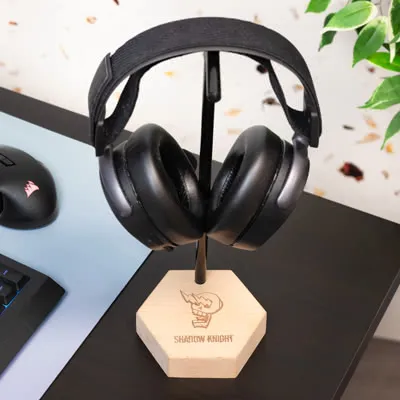
Headset Stand
2 variants
From 25.99
Delivery from 5 October